


AI Room Planner: Home Design
4.36.00 Reviews
App Specs
- Version
- 17.1.1
- Updated On
- License
- Free
- Downloads
- 100,000+
- Developer
- Hangover Studios
- Categories
- House & Home
- Platform
- Android
Screenshots
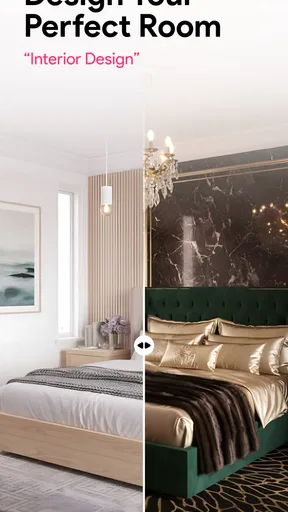

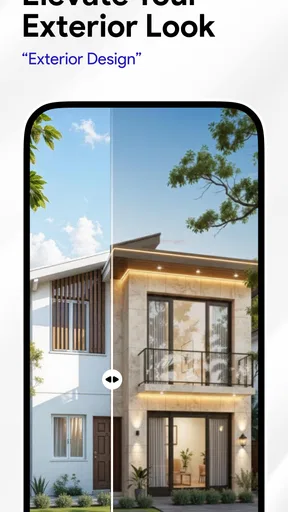
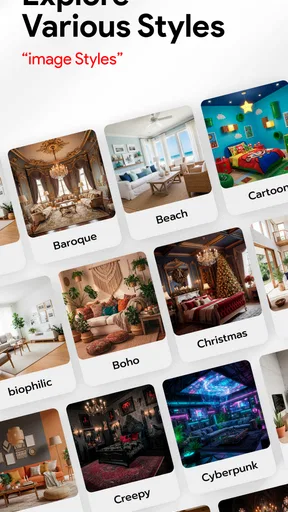
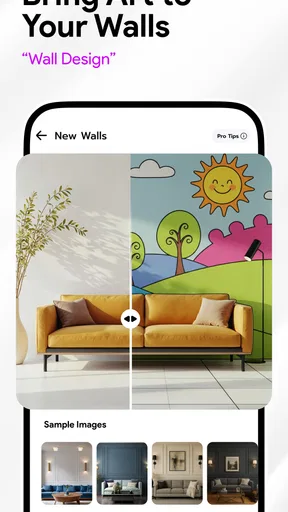

 Analysis by AppCompare
Ever felt the urge to revamp your living space but didn't know where to start? Well, that's exactly how I felt before I discovered the AI Room Planner: Home Design. This app is like having a personal interior designer right in your pocket, and it’s made my home makeover dreams a reality. Let me walk you through my experience with this nifty app.
First Impressions and Features
When you first open the AI Room Planner: Home Design, you’re greeted with a sleek and user-friendly interface. It's intuitive, which is great if you're like me and not super tech-savvy. The app offers a variety of features that make planning your new space both fun and easy.
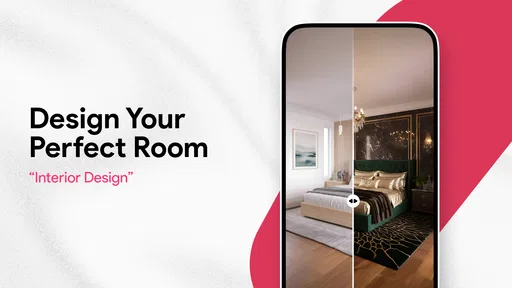
One of the coolest features is the virtual room designer. You can create a 3D model of your room, and it's surprisingly easy to use. All you need to do is input the dimensions of your space, and the app helps you visualize different layouts and designs. It’s literally like playing a game where you’re the designer! The drag-and-drop functionality feels smooth, and the real-time updates are a cherry on top.
Designing Like a Pro
Now, let’s talk about the design options. The app offers a vast library of furniture and decor items. From cozy sofas to chic coffee tables, the variety is incredible. You can experiment with different styles and color schemes. Want to see how a mid-century modern couch looks next to a contemporary bookshelf? With just a few taps, you can see it all come together.
If you’re worried about getting overwhelmed with choices, the AI feature is here to help. It suggests styles and items based on your preferences. It’s like having a friendly designer whispering in your ear, guiding you through the process. I found myself trying out styles I never would have considered before!
Keeping It Real
One feature I particularly love is the augmented reality (AR) mode. It allows you to visualize how the furniture and decor will look in your actual space. Just point your phone’s camera at the room, and voila! You can see that new armchair in the corner or how a new shade of paint might look on your walls. It’s a game-changer for those of us who struggle to imagine how things will look IRL.
Sharing and Saving Your Designs
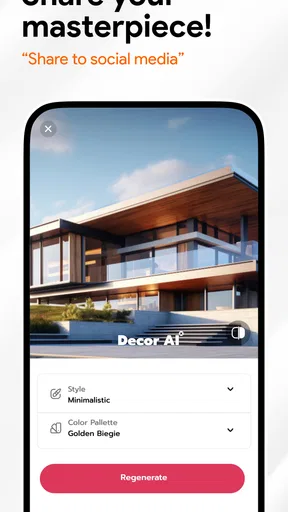
Once you’ve created your dream space, you can save your designs and share them with friends or family. The app makes it super easy to get feedback. I shared my designs with a group of friends, and it was fun to see their reactions and get their input before making any final decisions.
Worth Reading Before You Choose

EA SPORTS FC Mobile 26 Is a Bigger Football Game, but It Takes Time

Flipboard Shows What News Apps Must Do Beyond the Feed

Switching to Android Auto Means Rethinking Your Driving Routine

Google Calendar Makes a Crowded Week Easier to Manage

Ludo King Makes the Most of the Minutes Between Plans

Baby Panda World Brings Quick Play to Modern Phones, but Its Game Library Feels Busy
Plus, you can save multiple projects. So, if you’re feeling adventurous, you can work on more than one room at a time. It’s perfect for those of us who like to keep our creative juices flowing.
Final Thoughts
Overall, the AI Room Planner: Home Design has turned what used to be a daunting task into something enjoyable. Whether you’re redoing a single room or your entire home, this app provides the tools you need to unleash your inner designer. The combination of user-friendly features and powerful AI makes it a must-have for anyone looking to refresh their living space.
So, if you’re itching to give your home a makeover but don’t know where to start, give this app a try. It might just inspire you to create a space that’s even better than you imagined.
Pros
- User-friendly interface for quick designs.
- Extensive library of furniture and decor.
- Realistic 3D rendering for better visualization.
- Easy sharing options for collaboration.
- Regular updates with new features.
Cons
- Limited customization for unique items.
- Requires internet for full functionality.
- Occasional lag on older devices.
- Subscription needed for premium features.
- Some features are not intuitive.
FAQs for AI Room Planner: Home Design
What features does AI Room Planner: Home Design offer?
AI Room Planner: Home Design provides a comprehensive set of features for home design enthusiasts. Users can create 2D and 3D floor plans, explore a vast library of furniture and décor, and customize room layouts using AI-driven suggestions. The app also offers AR capabilities, allowing users to visualize designs in real-world settings.
Is AI Room Planner suitable for beginners in home design?
Yes, AI Room Planner is designed to be user-friendly for both beginners and experienced designers. The intuitive interface, along with step-by-step tutorials and AI assistance, makes it easy for newcomers to create professional-looking designs without prior experience. The app's drag-and-drop functionality simplifies the design process.
Can I use AI Room Planner on multiple devices?
AI Room Planner supports cross-platform usage, allowing you to access your projects on both Android and iOS devices. By logging into your account, your designs and progress are synced across all devices, ensuring a seamless experience whether you’re on a smartphone, tablet, or desktop.
Does AI Room Planner require an internet connection?
While AI Room Planner can be used offline for basic design tasks, certain features like cloud syncing, accessing online furniture catalogs, and AI suggestions require an internet connection. To fully utilize the app's capabilities and keep your projects updated, it is recommended to have an active internet connection.
Are there any costs associated with AI Room Planner?
AI Room Planner offers a free version with limited features, suitable for basic design projects. For more advanced tools and a wider selection of furnishings, a subscription model is available. The premium version provides additional benefits such as high-quality renders, exclusive design templates, and priority customer support.


